 1300 781 148
 Contact us
 Service status
 Support
 Partner login


 Jessie Carpio
 July 29, 2026
 3 minute read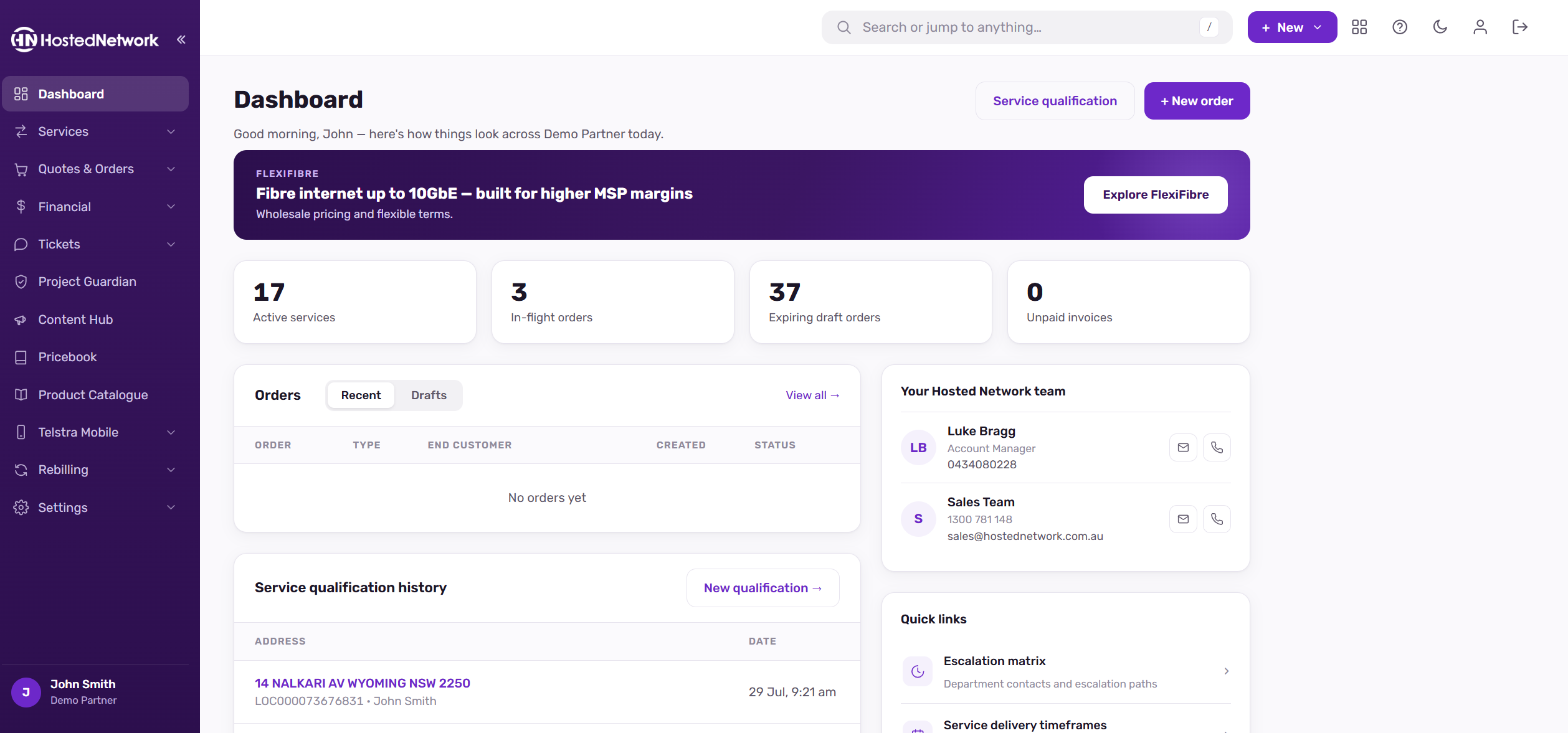
The Partner Portal has had a complete refresh, with every page redesigned around a cleaner, faster interface. The information is all the same as you’re used to, just presented more clearly.
Most things are exactly where you left them, though seven areas have moved or been simplified.
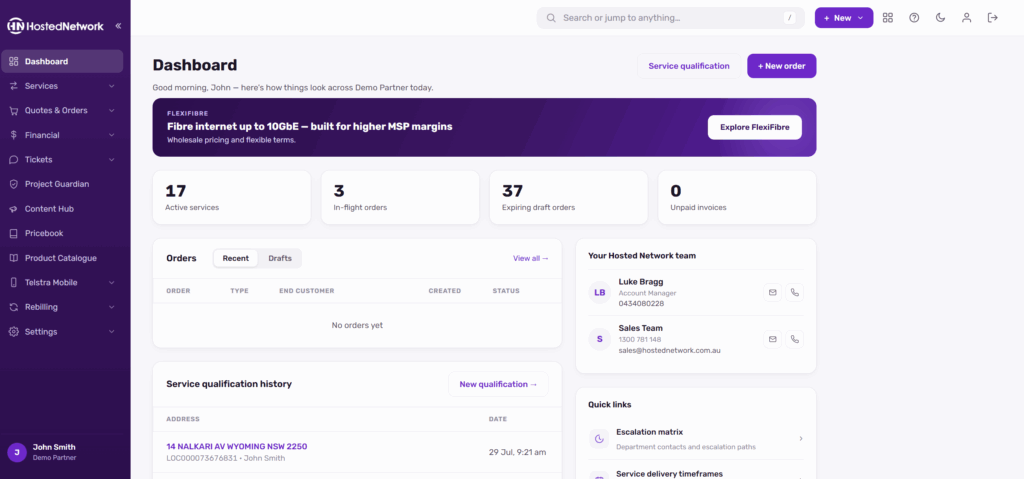
If something isn’t where you expect it, global search is the fastest way to find it: press / anywhere in the portal to jump straight to a page, service or tool.
Here’s everything that’s changed.
New across every page
Global search. Press / anywhere in the portal to jump straight to a page, service or tool. If you’re not sure where something lives now, this is the fastest way to find it.
A “+ New” button. Start the most common tasks, a new order or a new ticket, from any page without navigating first.
Light and dark mode. The portal now opens in a light theme by default. Use the moon toggle in the top bar to switch, and your choice is remembered across visits and devices.
Your profile in one click. It now sits behind your avatar in the top bar.
What’s moved
Telstra Mobile (data pools, SIMs, call records)
Its own top-level Telstra Mobile menu
VoIP usage reports and exports
Services › VoIP Call Reports, alongside call records
VoIP Charging Plans
Rebilling › VoIP Charging Plans
Rebilling invoicing dashboard
Merged into Rebilling › Invoices
Rebilling settings (labels, email template, invoice preview)
Rebilling › Configuration, with the Email Log now its own menu item
Marketing Concierge
Renamed Content Hub
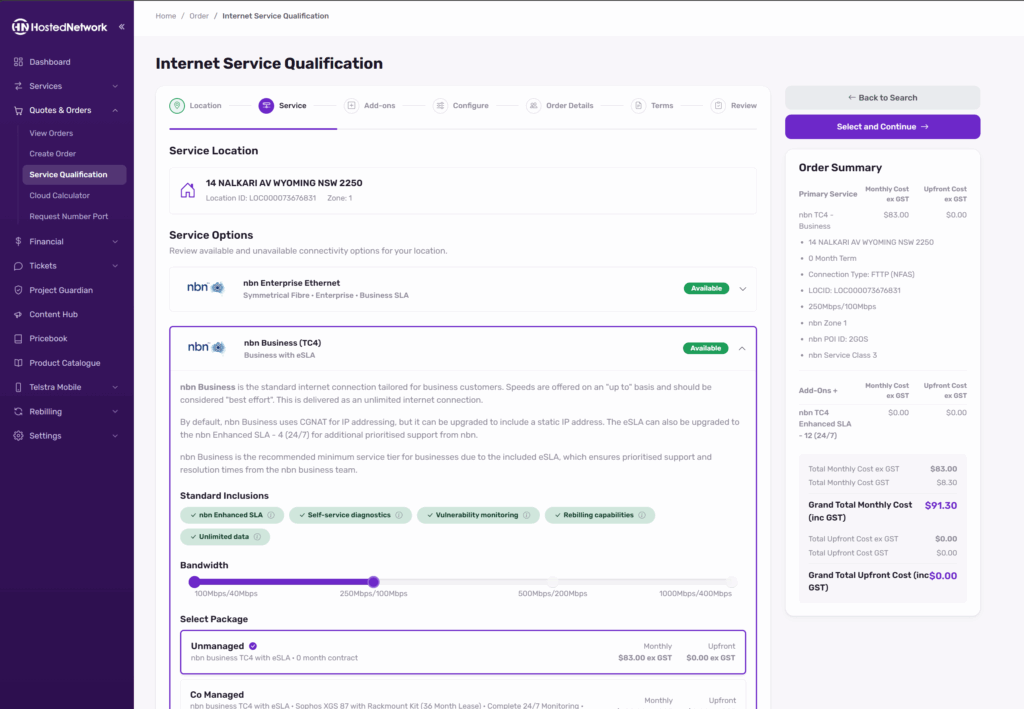
Internet Service Qualification
Quotes and Orders › Service Qualification
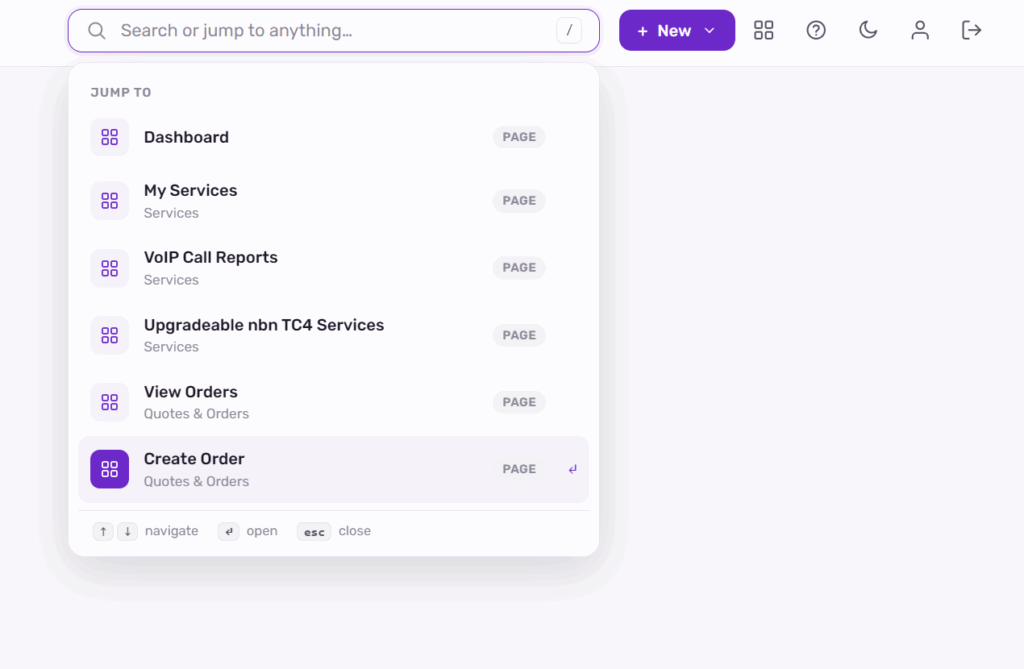
Those seven are the only changes to where things live. Dashboard, My Services, Invoices, Billing Disputes, Tickets, Project Guardian, Pricebook, Product Catalogue, Manage Contacts, Alerts and API Keys are all where they’ve always been, just rebuilt. Old links redirect to the new pages, so your bookmarks should keep working.
What’s improved
Ordering and quoting
The Cloud Calculator is now a single page. Configure servers and watch your charges summary update beside you, then place the order from the same screen without stepping through pages.
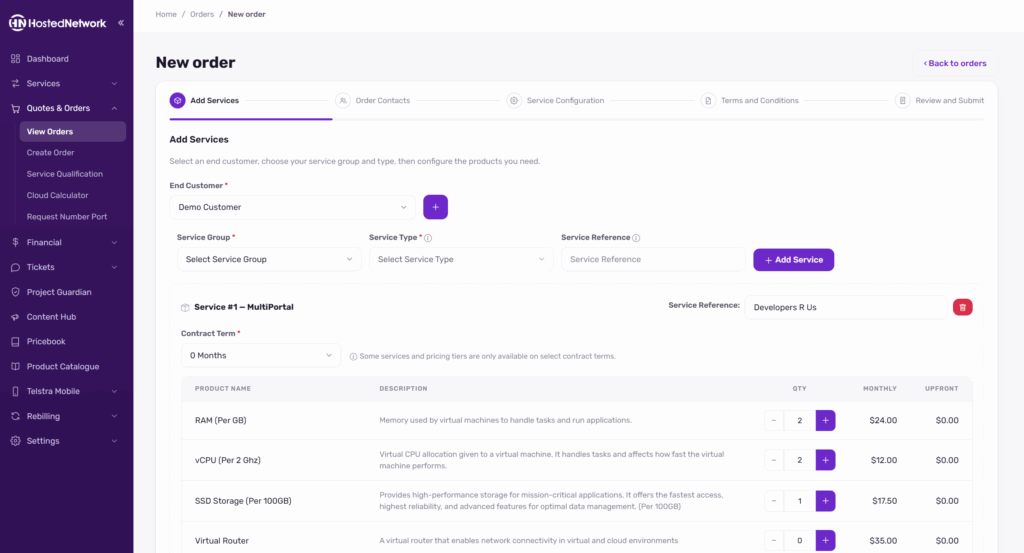
New Order is a clear five-step wizard, and you can save a draft and come back to it.
Service Qualification has cleaner carrier selection, and Enterprise Ethernet quotes now support relocations. Tell us it’s a move and we’ll handle the rest.
Telstra Mobile
Data pool pages have been redesigned, with usage and capacity tiles up top. The service list now handles large pools properly, so search finds any SIM across an entire pool with straightforward paging. The pool list auto-refreshes, which keeps usage current while you have it open.
Telstra Mobile now appears in the menu for all partners. If you’re not set up yet, you’ll find details there on how to get started.
Content and catalogue
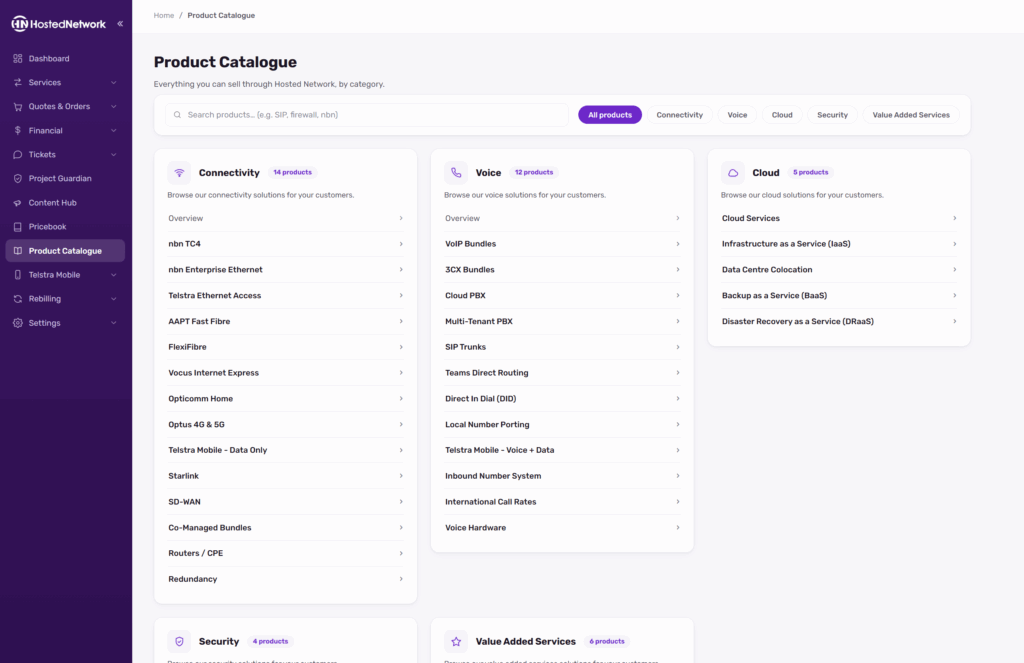
Product Catalogue pages now include product videos, and every page can be exported as a branded PDF, which makes them easy to pass straight to your customers
Billing and rebilling
The Rebilling menu is down to five clear items: End Customers, Invoices, Email Log, VoIP Charging Plans and Configuration. The invoicing dashboard and Invoices are now a single page rather than two views of the same information.
Payments has been refreshed, with the same secure payment process underneath. Billing Disputes now takes file attachments for supporting documents.
Tickets and support
Ticket pages have been redesigned with a better reply editor, and the service a ticket relates to is now shown front and centre.
Alerts
The Alert Centre checks notification email addresses as you type, so a typo can’t quietly stop your alerts from arriving.
What hasn’t changed
Your data, pricing and billing are unchanged. This release is about the experience, plus a round of security and performance work underneath.
Spotted something that looks off, or can’t find something that should be there? Raise a ticket through the portal and we’ll look into it.


